
A free Discord alternative for Windows: voice chat and screen sharing with friends
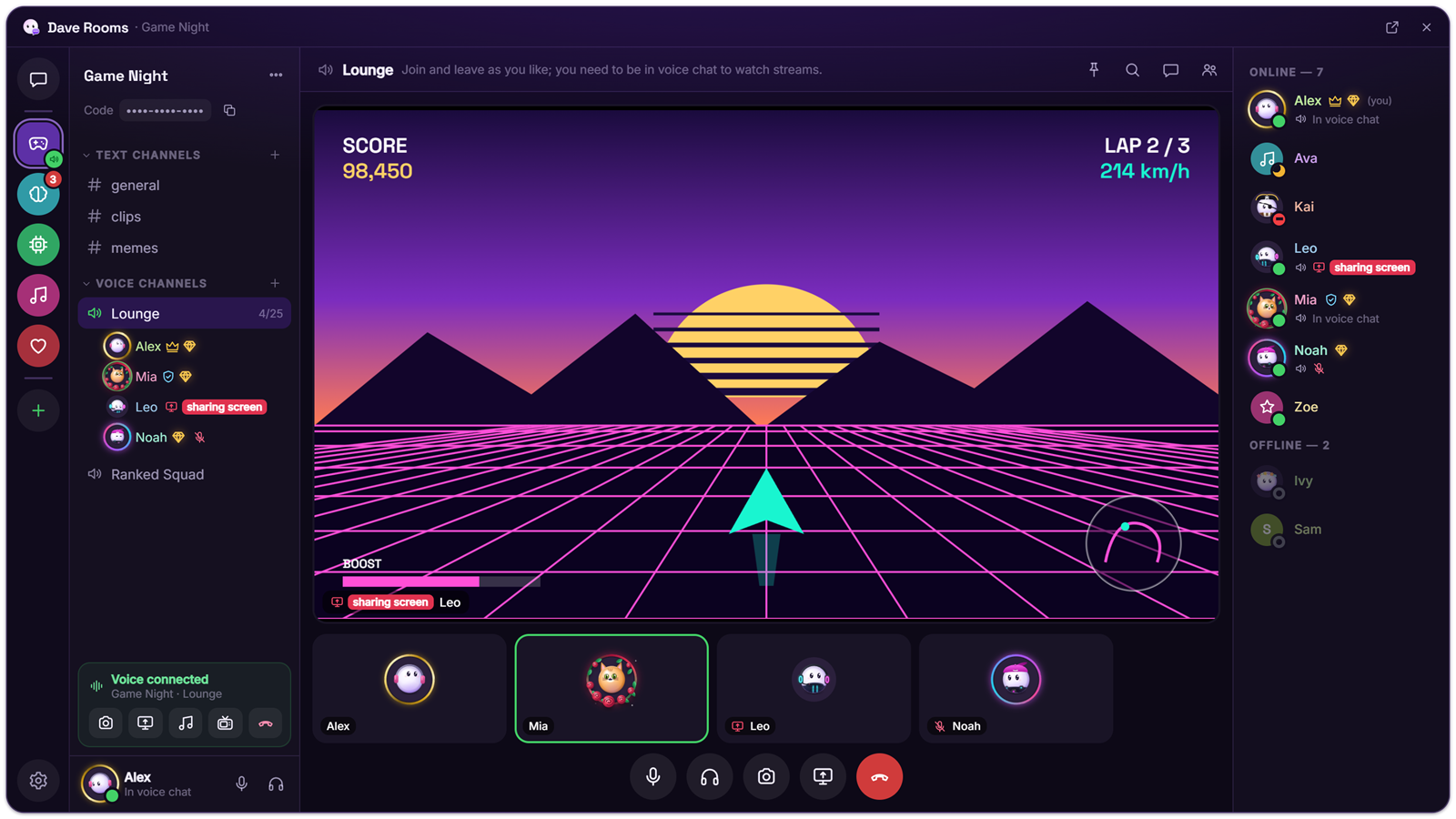
Want a place to hang out with friends on Windows where every feature is free? Dave Rooms gives you Discord-style rooms with text and voice channels, camera and screen sharing, and the room’s history lives on the computers of the people in it.
Install Dave Rooms (or open Rooms from Dave™’s dock), press Create a room and send your friends the invite link. Click a voice channel to talk, then press Go live to share your screen or an app. Everything here is free; Dave™ Premium only adds looks.
Set it up
- Download Dave Rooms from the Dave Rooms page, or open Rooms from the dock if you already use Dave™.
- Press Create a room, give it a name, and send your friends the invite link (room menu → Copy invite link) or the room code.
- Click Voice chat or any other voice channel to join; up to 25 people can talk at once.
- Turn on your camera, or press Go live to share a whole screen or a single app, and pick the resolution and frame rate.
What you get
- Text and voice channels, roles and per-channel permissions, private channels and moderation tools.
- Camera up to 4K at 30 fps; screen and app sharing up to your screen’s resolution at 60 fps, with correct colors on HDR screens.
- Noise suppression, push-to-talk, a soundboard and voice effects (deep, high, robot, radio and cave).
- Watch together and listen together, polls and threads.
- Files up to 200 MB, voice messages, GIFs and stickers.
- Friends and DMs: add someone with their friend code, no shared room needed (how it works).
Where your conversations live
Messages, files and streams go directly between the computers of the people in the room, and the room’s history is kept on those computers. When someone is offline, the messages meant for them wait on Dave’s relay for up to 7 days, end-to-end encrypted so the relay can’t read them; files are never stored there. If you don’t want people in the room to see your IP address, turn on Hide my IP address in the Rooms settings.
How it compares with Discord
Discord runs everywhere and has a huge community. Dave Rooms is Windows only for now, but every feature is free for everyone: 200 MB files, screen sharing at your screen’s resolution and 60 fps, watch-together and voice effects. The paid plan only adds looks. See the side-by-side comparison on the Dave Rooms page.
Questions
Is it really free?
Yes. Every Rooms feature is free. Dave™ Premium only adds looks, such as animated profile pictures, name styles, profile effects and an entrance sound.
Do my friends need an account?
No. They need Dave Rooms or Dave™; a Dave™ account is only needed for Premium.
How many people can talk at once?
Up to 25 people can be in a voice channel at the same time.
Is there a phone app?
Not yet. Dave Rooms runs on Windows 10 and 11.
For Windows 10 and 11. Free, with every feature included; it updates itself.